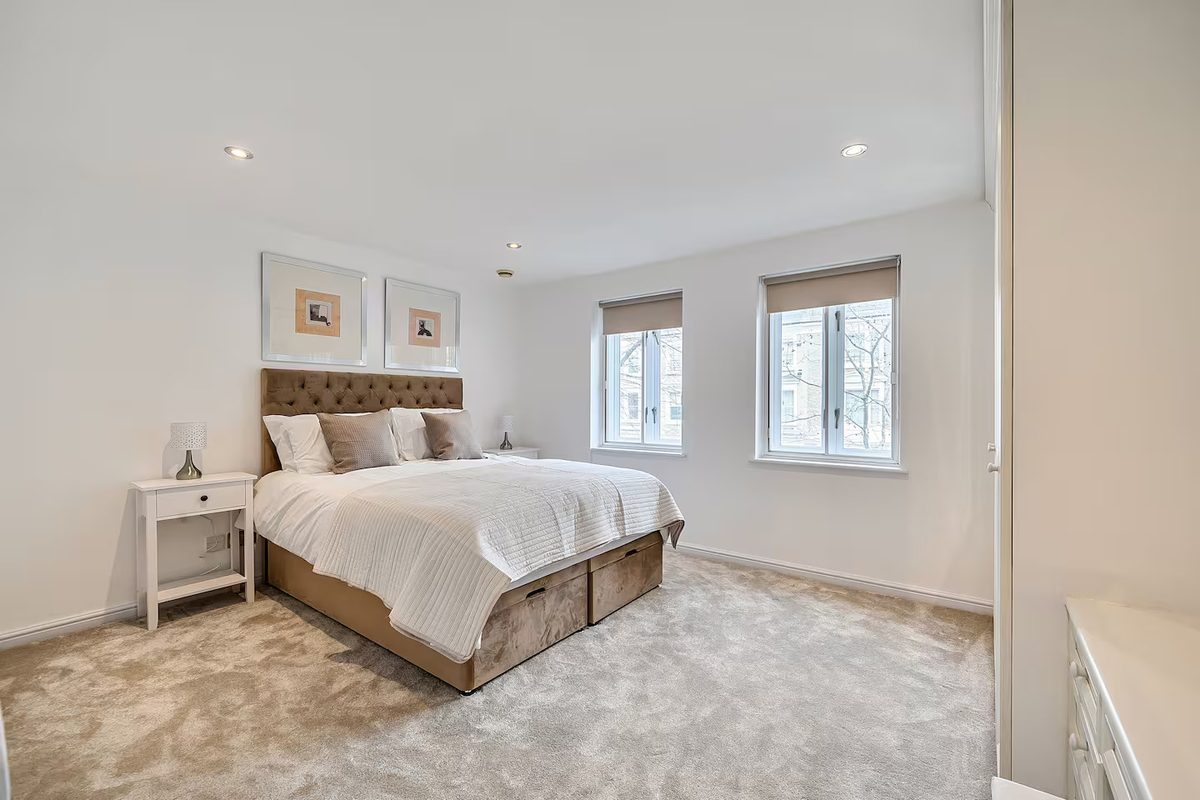
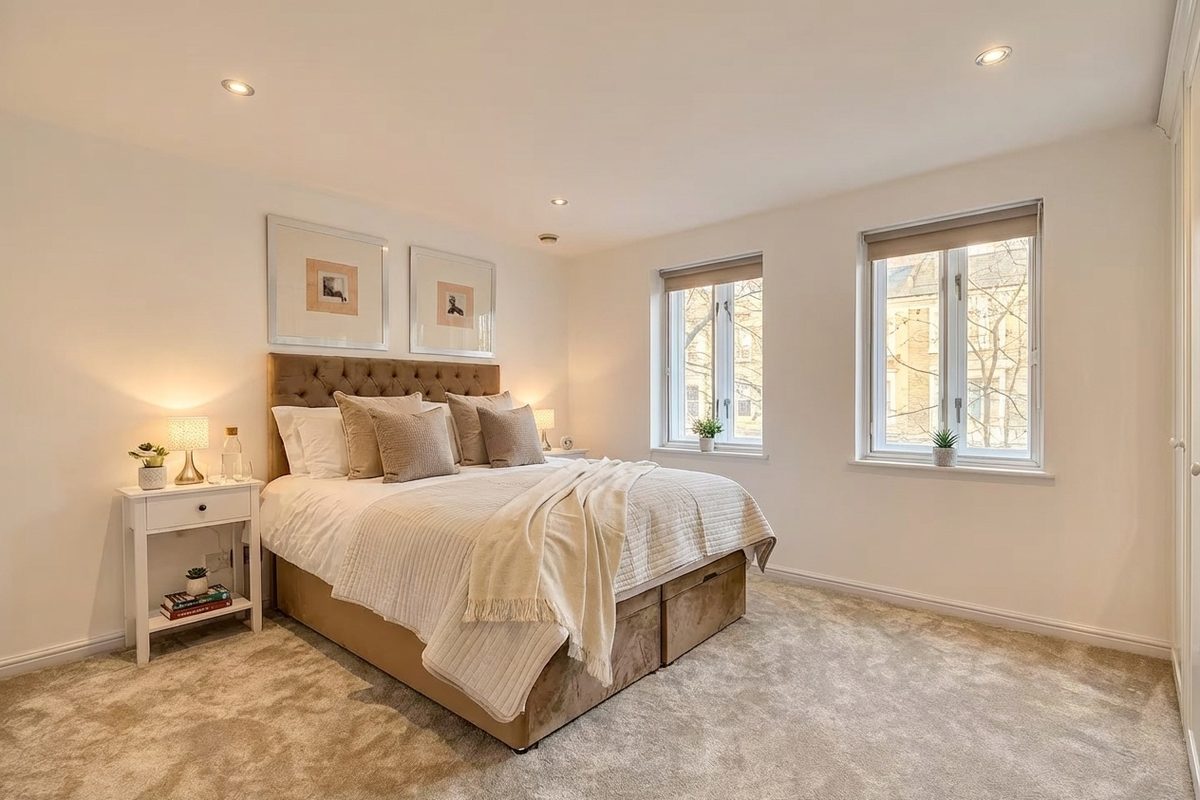
Elevance is an AI photo editor built for Airbnb, Booking.com and VRBO listings. Upload the photos you already took on your phone. In a few seconds each one comes back brighter, with true colours and cleaner detail, the way a listing photographer would edit it. You preview every result free, and pay $0.90 per photo only for the ones you download.
What the AI fixes in every photo
- Exposure and dark rooms: lifts shadows so bedrooms and bathrooms don't look like caves, without blowing out windows.
- White balance: removes the yellow, blue or green casts from mixed bulbs, so every room in your gallery matches.
- Colour and clarity: natural, not oversaturated; sharper detail on textures like bedding and wood.
- Dull exteriors and views: brings back colour in balcony, pool and window views that phones wash out.
- Day-to-night: turns a daytime exterior into a warm evening shot with the interior lights on.
- Light styling: can add small finishing touches like a throw or cushions. Check each result and only use photos that match what guests will find.
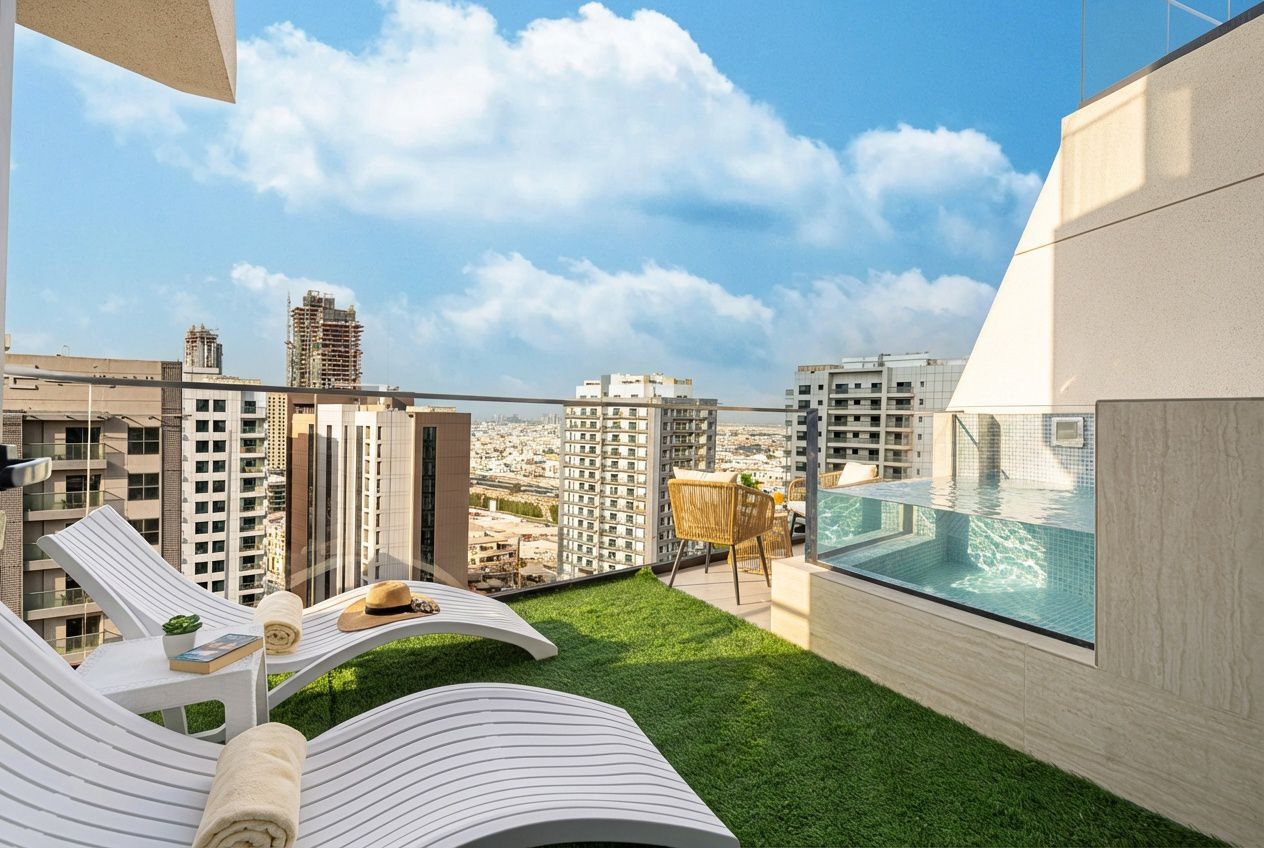
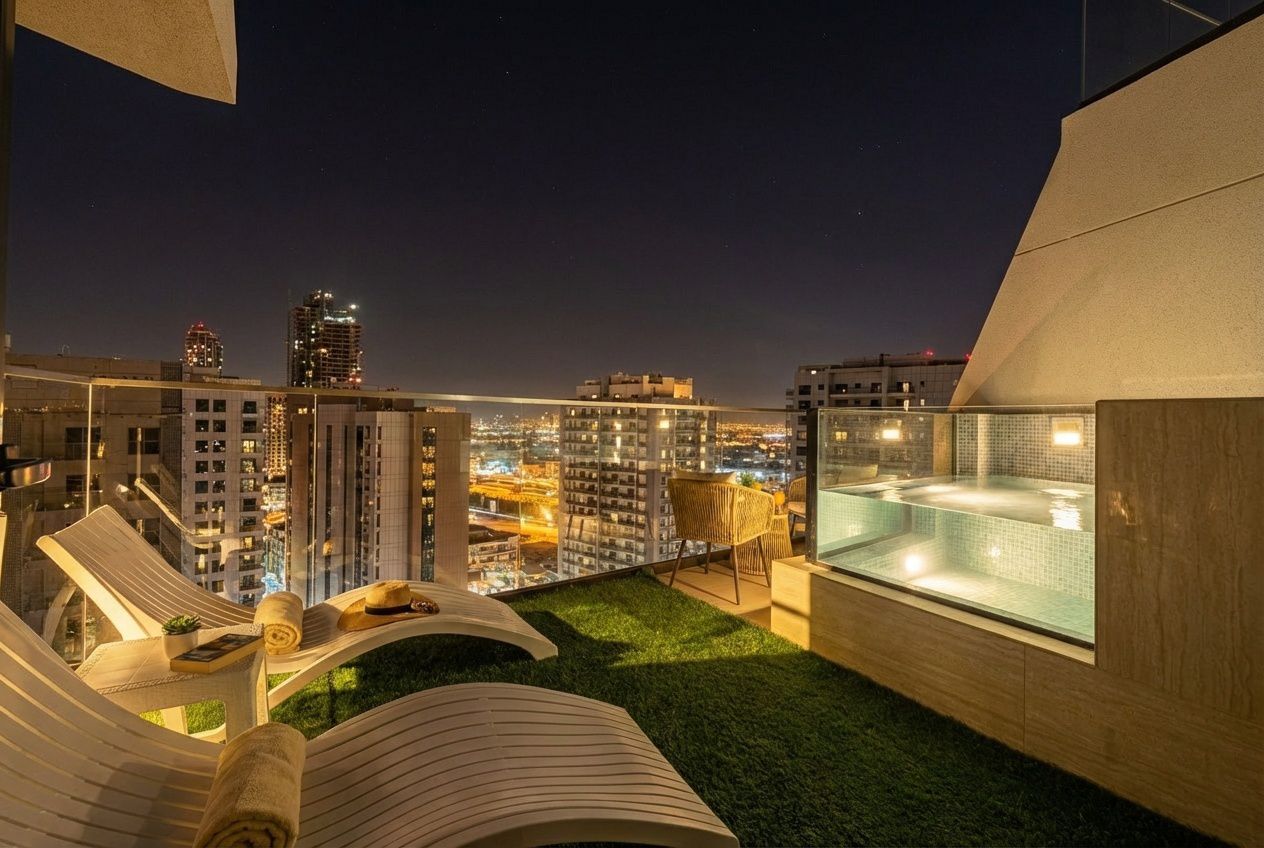
Why photo editing matters on Airbnb
Guests decide whether to tap your listing from a thumbnail in search results. Then they judge the property on the first five photos. A dark or yellow hero shot loses the click before your price, reviews or description are even seen. Good editing doesn't misrepresent your place. It makes the photos look the way the room feels in person.
Most hosts don't need a new shoot. They need their existing photos edited properly and consistently. That's the job Elevance does.
How it works
- Upload your listing photos. JPG, PNG or WebP from any phone or camera; batch upload the whole gallery at once.
- Preview every enhanced photo free (watermarked), side by side with the original.
- Download only the ones you like at $0.90 each, as high-quality JPGs with no watermark. Upload them straight to Airbnb.
See your own listing, enhanced
Upload a few photos and compare before and after in under a minute. No credit card needed to preview.
Cost compared with the alternatives
| Elevance AI | Human editing service | Listing photographer | |
|---|---|---|---|
| Price for a 25-photo listing | $22.50 | About $50 (at ~$2/photo) | Typically $300–500 per shoot |
| Turnaround | Seconds | Usually up to 24 hours | Days to book + edit |
| See results before paying | Yes, every photo | No | No |
| Uses your existing photos | Yes | Yes | No, new shoot |
A photographer still wins on composition, drone and true twilight shoots. If your photos are badly framed, reshoot first; if they're framed fine but look dull, editing is the cheaper fix. See our full breakdown: Airbnb photographer cost vs AI enhancement.
Built for hosts and property managers
Elevance works for a single apartment and for property managers editing dozens of listings a month. Credits don't expire, there's no subscription, and bulk pricing is available for teams. Contact us for volume rates.
Frequently asked questions
How much does Airbnb photo editing cost with Elevance?
$0.90 per photo you download. Previews are free, there is no subscription, and credits never expire. A typical 25-photo listing costs $22.50.
Will the photos look fake or over-edited?
No. The AI corrects exposure, white balance and clarity so the photo looks like the room does in person. It may add small styling touches such as a throw or cushions; you preview every result and only download the ones you're happy with.
Is editing listing photos allowed on Airbnb?
Yes. Improving lighting, colour and straightness is standard practice. Photos should still accurately represent the space, so avoid edits that hide defects or add features that don't exist.
Can I use the edited photos on Booking.com and VRBO?
Yes. Downloads are high-quality JPGs with no watermark, and you can use them on any platform or your own website.
Do I need a professional camera?
No. Most of our users shoot on an iPhone or Android phone. Shoot during daylight with lights on and curtains open, then let the AI handle the edit.